Marketing Strategy
Google Ads for Escape Rooms: Proven Ways to Get More Bookings (2025)
Last Updated on • Escape Room Marketer

Your escape rooms are amazing—every puzzle, prop, and storyline crafted to thrill. But when someone searches “escape room near me”, your business doesn’t appear on top. And the most painful part? Your competitors are stealing the spotlight—and all the bookings.
That’s where Google Ads for escape rooms changes everything!
Most owners waste ad dollars on generic boosts or confusing settings. Yet with the right Google Search Ads for escape rooms, you can reach players exactly when they’re ready to book. And by adding Performance Max for escape rooms or short YouTube video ads, you can stay visible across every screen your audience uses.
This guide will show you how to turn ad clicks into real bookings—step by step—so your escape room isn’t just seen, it’s fully booked!
By the end, you’ll know how to use Google Ads for escape rooms to outsmart competitors, attract the right players, and fill every game slot with confidence.
Cheat-Sheet
If you’re not from a marketing background, terms like PPC, CPC, CTR, A/B testing, or marketing funnel can sound confusing. This section breaks down every one of these concepts in plain English, so you can understand exactly what they mean and how they apply to your escape room ads.

By the end, you’ll be able to run and analyze your escape room PPC campaigns confidently—no marketing degree required.
- PPC (Pay-Per-Click): An ad model where you pay only when someone clicks your ad—ideal for escape rooms because you pay for real interest, not just impressions.
- Search Campaign: Text-based ads that appear when people search phrases like “escape room near me.” Perfect for driving direct bookings.
- Display Campaign / Display Ads: Visual banner ads that show on websites or apps—great for retargeting or reminding past visitors about your escape rooms.
- Video Campaign: Short video ads (like YouTube pre-rolls) that showcase your experience—for example, “60 Minutes. One Mission. Can You Escape?”
- Performance Max (PMax): A campaign that runs your ads across Search, Display, YouTube, Maps, and Gmail—ideal for all-in-one escape room visibility.
- Negative Keyword: A term you exclude so your ads don’t show for irrelevant searches, like “free online escape room.”
- Match Type: Controls how closely a search must match your keyword—Exact, Phrase, or Broad match.
- Ad Group: A set of ads focused on one intent (e.g., Birthday Parties, Team Building, Couples).
- Impressions: The number of times your ad is displayed to potential players.
- Clicks: The number of people who actually click your ad to learn more.
- CTR (Click-Through Rate): The % of impressions that became clicks—shows how engaging your ad is.
- CPC (Cost per Click): The average amount you pay for each click.
- CPA (Cost per Acquisition / Booking): How much you spend to get one confirmed booking—your most important profitability metric.
- ROAS (Return on Ad Spend): How much revenue you earn for each $1 spent on ads (e.g., 5× ROAS = $5 earned for every $1 spent).
- Conversion: A measurable action—usually a booking, call, or form submission.
- Conversion Rate (CVR): The % of ad visitors who complete a booking or call.
- Landing Page: The page visitors land on after clicking your ad (like your “Book Now” or themed room page).
- Quality Score: Google’s 1–10 score for ad and landing page relevance—higher scores lower your CPC.
- Ad Rank: Determines your ad’s position on Google—calculated from your bid × Quality Score.
- Ad Extensions (Assets): Extra info below your ad, such as sitelinks, reviews, or your location.
- Ad Copy: The written text in your ad—headlines, descriptions, and CTAs like “Book Your Escape Today.”
- Marketing Funnel: The player’s journey from awareness → interest → booking. Each campaign targets one stage.
- Remarketing / Retargeting: Showing ads to people who visited your site but didn’t book—helps re-engage interested players.
- Audience Signal: Data Google uses to find people similar to your past visitors or bookers.
- Geo-Targeting: Showing ads only in certain areas—like 10–15 miles around your escape room.
- Scheduling / Ad Timing: Choosing when your ads show—such as evenings and weekends when players plan activities.
- Bid Strategy: How Google manages your spending—Maximize Conversions, Target CPA, or Manual CPC.
- Budget Cap: The daily limit on how much Google can spend on your campaigns.
- A/B Testing (Split Test): Running two ad versions to see which gets more clicks or bookings—vital for optimization.
- GA4 (Google Analytics 4): Tracks how visitors from your ads behave—from click to booking.
- GTM (Google Tag Manager): Lets you add tracking codes to your site without editing code directly.
- Enhanced Conversions / CAPI (Conversion API): Advanced tracking that sends accurate booking data to ad platforms.
- LCP (Largest Contentful Paint): Measures how quickly your main page content loads—faster = better conversions.
- Looker Studio: Google’s free dashboard tool for visualizing ad results and performance.
- Heatmap Tools (Hotjar / Clarity): Show where users click or drop off on your landing pages—great for improving UX.
- E-E-A-T: Google’s trust factors—Expertise, Experience, Authoritativeness, and Trustworthiness.
- Schema Markup: Code that helps Google understand your content—useful for FAQs and reviews.
- Bounce Rate: The % of visitors who leave your page without taking action.
- Lifetime Value (LTV): How much total revenue a customer brings over time—key for long-term ROI.
- ROI (Return on Investment): How much profit you earn from ads overall (e.g., spend $100 → earn $400 → ROI = 300%).
Do this now (≤5 min):
Write down three metrics you’ll track every week: CTR, CPA, and ROI. These reveal whether your escape room PPC campaigns are generating real bookings and profit.

Need help setting up your first Google Ads campaign?
Don’t waste ad spend on guesswork. Let Escape Room Marketer build your first high-converting PPC campaign and teach your team how to manage it.


Foundations
Most escape room businesses don’t fail at PPC because their games aren’t fun—they fail because their ads don’t reach the right people. Ineffective targeting, irrelevant ad copy, and poor tracking lead to wasted spend and empty rooms.

Getting these foundations right ensures your escape room Google Ad campaigns build visibility, trust, and steady bookings.
Key Principles
1. Intent Alignment
Target players who are ready to book, not just browsing. Use keywords like “book escape room [city]” or “team building escape game near me.” This intent-driven approach ensures your ads appear only when people are genuinely looking to play.
2. Ad Relevance
Every ad must match the player’s goal and the landing page they’ll visit. For example, if your ad promotes birthday parties, send users to your Birthday page—not the homepage. High relevance improves your escape room PPC management results and lowers your ad costs.
3. Local Precision
Escape rooms are hyper-local. Set your targeting radius to about 10–15 miles around your location and prioritize mobile searches, since most players search last-minute from their phones.
4. Proof and Trust
Show social proof: Google ratings, recent player photos, and “Private Room” or “Family-Friendly” badges. These reassure new players that your venue is fun, safe, and highly rated.
5. Speed and Simplicity
Fast-loading pages directly influence conversions and CPC. Keep your booking page under 2.5 seconds load time. Fewer steps from click to booking = more players.
Pro tip: In escape room PPC, fewer, better ads beat dozens of generic ones. Focus on clarity, intent, and speed over quantity.
For sustained visibility beyond ads, invest in Escape Room SEO. It helps your brand rank organically even when players aren’t clicking ads.
Do this now (≤5 min):
Google your business name and “escape room [city].” Are you in the top 3 local results? If not, note your position—it’s your visibility baseline before improving with PPC.
Already running ads but not seeing bookings?
Our experts specialize in escape room PPC. We’ll optimize your campaigns, cut wasted spend, and help you book more games every week.
The 10-Step Google Ads Framework
Running ads without a plan is like locking players in a room without any clues—they’ll get lost fast! The same thing happens when escape room owners launch campaigns without proper structure or strategy.
That’s why we created this 10-step framework for Google Ads for escape rooms—a proven, easy-to-follow roadmap designed to help you attract the right players, spend smarter, and turn clicks into real bookings.
Check out our blog post on Escape Room Advertising Ideas for creative campaign concepts that complement this framework and boost your marketing reach even further.
Each step builds on the last, covering everything from research and keyword planning to campaign setup, optimization, and tracking—so by the end, you’ll have a complete, performance-ready system for escape room PPC success.
Let’s unlock your next level of growth!
Step 1: Research and Strategy
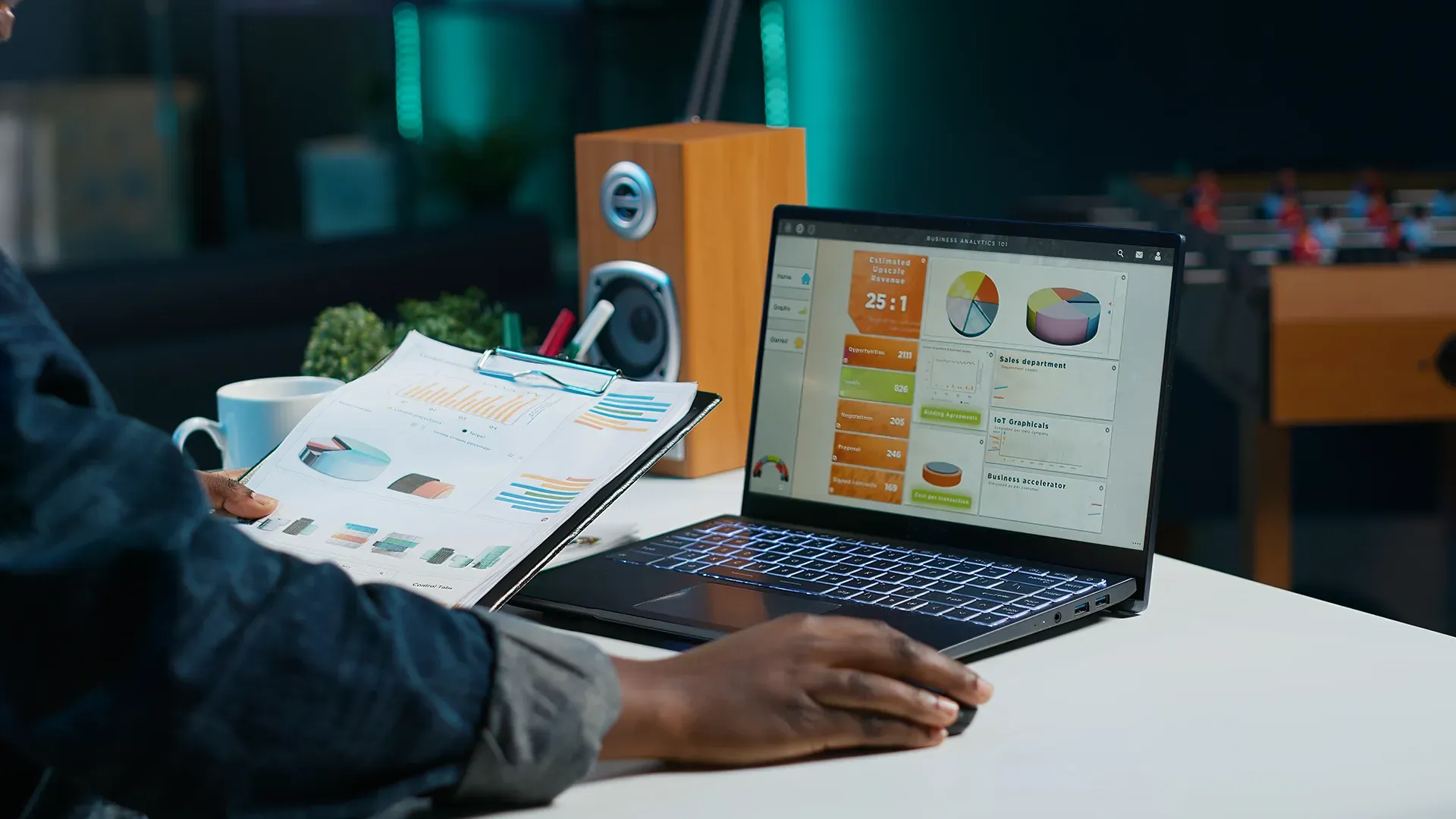
Successful Google Ads for escape rooms start with clarity—knowing who your players are, what they’re searching for, and what truly makes them book. Data drives the win, not guesses.
Field-Tested Workflow
1. Understand Your Player Personas: Identify the 3–4 types of players who book most often—families, corporate teams, couples, and friend groups. Each audience searches differently, so knowing them shapes your keyword and ad strategy.
2. Map Their Search Intent: Write down what each audience might type into Google. For example:
- Families → “fun things to do with kids [city]”
- Corporates → “team building activities near me”
- Couples → “date night escape room [city]”
These insights guide your escape room PPC keywords later.
3. Use Data Tools, Not Hunches: Open Google Keyword Planner and Semrush or Ubersuggest to:
- Find high-intent keywords with steady monthly search volume.
- Identify average CPC and competition level.
- Note keyword variations for your city and event types (e.g., birthday escape room [city]).
4. Spy on Competitors: Search your target keywords and study the top three advertisers. Observe their ad copy, offers, and landing pages. Ask:
- What’s their CTA? (“Book Now,” “Get 10% Off”?)
- What reviews or trust signals are visible?
- What can you do differently or better?
5. Plan Keyword Clusters by Intent: Divide your list into three core groups:
- Booking intent: “escape room near me,” “book escape room.”
- Event intent: “team building escape room,” “birthday party escape room.”
- Brand intent: “[Your brand name] escape room.”
6. Set Realistic Goals: Base your expectations on local CPC and conversion rate benchmarks. For example:
- Average CPC: $1.50–$2.50
- Average Conversion Rate: 6–10%
- Target CPA (Cost per Booking): ≤ $20
Tool Tips
- Google Keyword Planner – Find search volume, CPC, and keyword competition.
- Semrush / SpyFu – Analyze competitor keywords and ad examples.
- Google Trends – Identify seasonal spikes (e.g., summer, Halloween).
Do this now (≤5 min):
List your top 5 high-intent keywords that include your city name—like “escape room [city],” “team building [city],” and “birthday escape room near me”. These will form the foundation of your escape room PPC strategy going forward.
Step 2: Campaign Architecture
Gain total clarity and control over your ad campaigns across different locations, audiences, and event types. A clean campaign structure ensures your ads are easy to manage, optimize, and scale—no wasted budget, no overlapping ads, just pure efficiency for your escape room Google Ads strategy.

Build It This Way
Account
│
├── Search Campaign: “High-Intent Escape Room Keywords”
│ ├── Ad Group 1: [Escape Room Near Me]
│ ├── Ad Group 2: [Escape Room City Name]
│ ├── Ad Group 3: [Birthday / Team Building]
│
├── Search Campaign: “Branded Keywords”
│
├── PMax Campaign: “All-in-One Booking Growth”
│
└── Display Remarketing: “Abandoned Visitors”
Each campaign serves a distinct purpose:
- Search Campaigns: Capture players actively searching to book.
- Branded Campaigns: Protect your brand name from competitors bidding on it.
- Performance Max (PMax): Expand visibility across multiple networks like Search, Maps, Display, and YouTube.
- Display Remarketing: Reconnect with visitors who viewed your site but didn’t book — essential for long-term escape room PPC management.
Mini-Framework
- One campaign = one goal (e.g., bookings, brand awareness, remarketing).
- One ad group = one intent cluster (e.g., families, corporates, couples).
- One message = one audience (speak directly to their reason for playing).
Keeping your structure simple and logical helps Google’s algorithm learn faster and gives you clearer insights into what’s driving actual bookings.
Do this now (≤5 min):
Open your ad account and review your current campaigns. Merge any overlapping ad groups or duplicated keywords. Streamlining your structure is the first step toward scalable Google Ads for escape rooms growth.
Step 3: Search Campaigns
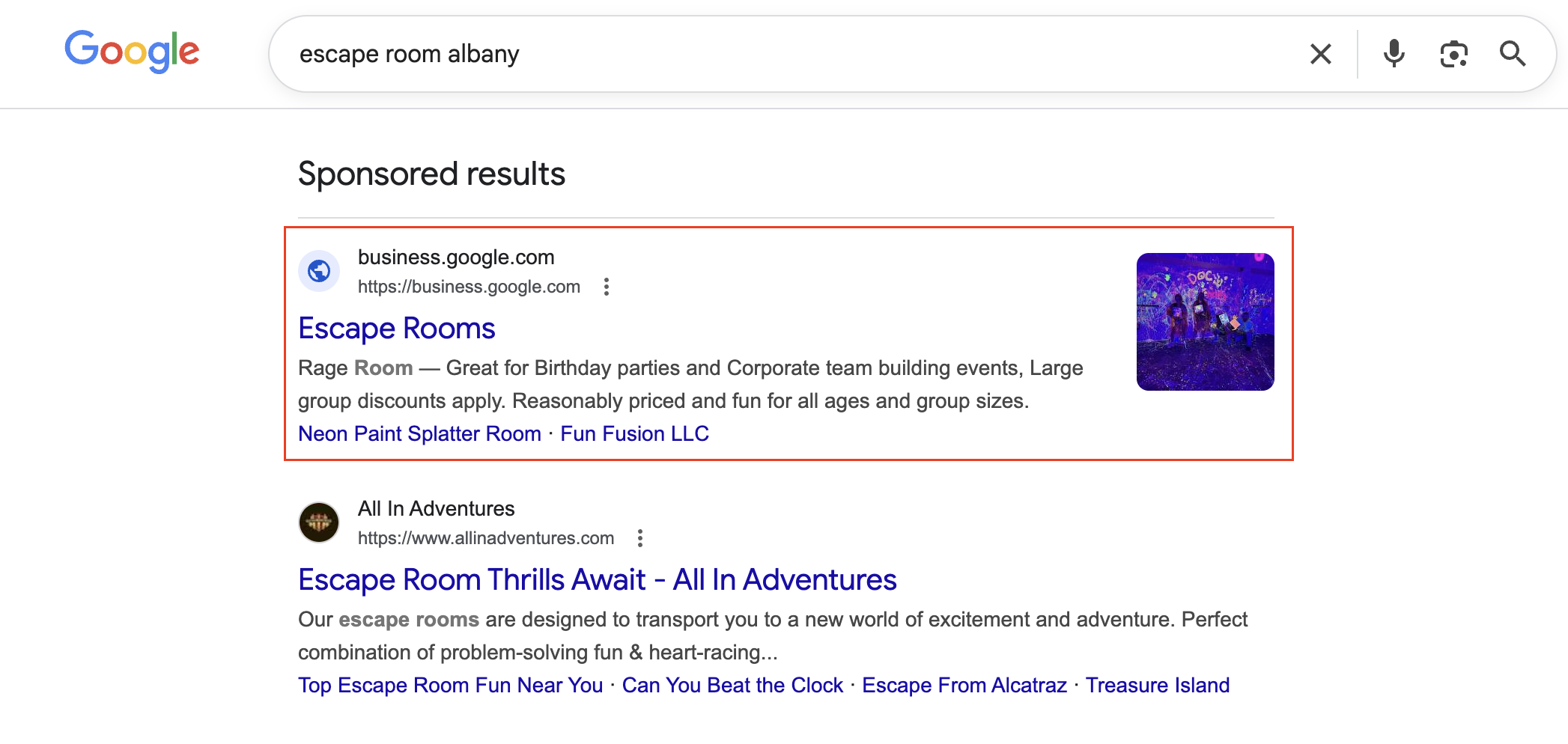
Reach players with real booking intent—the ones typing “escape room near me,” “book escape room,” or “team building activities [city].” These are your most valuable leads. Well-structured search campaigns help your ads appear at the exact moment players are ready to reserve a room.
Why It Works
Search campaigns target intent-based traffic. Unlike social media users who scroll casually, people searching on Google are actively planning their next outing. When your ad matches their intent—with the right keywords, compelling ad copy, and a clear call-to-action—your conversions can skyrocket.
Template Headlines
Use emotionally charged, keyword-rich headlines that match your audience’s goals:
- Escape Room Near [City] | Book Now
- 60-Minute Adventure | Private Games
- Perfect for Families and Teams
- Corporate Team Building Fun | Book Online
- Solve Clues, Beat the Clock, Escape Together!
Each headline should connect with a specific audience segment—families, couples, or corporate groups—to improve ad relevance and CTR.
Supporting Elements
Sitelinks (extra navigation links): Gift Cards | Birthday Events | Team Building | Locations
Callouts (short attention-grabbers): Book Online • New Rooms • Private Games • 4.9★ Rated • Great for Groups
These small details make your ad richer, take up more screen space, and increase clicks.
Match Type Strategy
Start with Phrase Match or Exact Match to capture high-intent searches while minimizing wasted clicks. As you gather data, carefully expand into Broad Match—but always pair it with a strong list of negative keywords like “free,” “virtual,” or “puzzle app” to keep your targeting clean.
Negative Keyword Seeds
Use these to block irrelevant clicks and protect your budget: free, virtual, online, printable escape room, puzzle app/game, DIY escape room, escape room ideas, escape room jobs, escape room careers, horror movie/trailer, reviews/spoilers/walkthroughs, etc.
Pro Tip: In Google Search Ads for escape rooms, precision always beats volume. A well-targeted ad with strong, relevant keywords consistently outperforms a broad, generic campaign—and usually at a lower CPC. Make it a habit to review your Search Terms Report weekly in Google Ads and add any irrelevant queries as negative keywords. This simple routine keeps your campaigns focused, efficient, and driven by real booking intent.
Do this now (≤5 min):
Open your best-performing campaign and add at least 5 callouts and 4 sitelinks. These instantly improve visibility and click-through rate for your escape room PPC management setup.
Your players are searching right now—will they find you first?
We help escape rooms craft laser-targeted Google Ads that reach players ready to book TODAY!
Step 4: Performance Max (PMax)
Reach new and returning players automatically across all major Google channels—Search, Display, YouTube, Maps, Gmail, and Discover—with one powerful campaign.
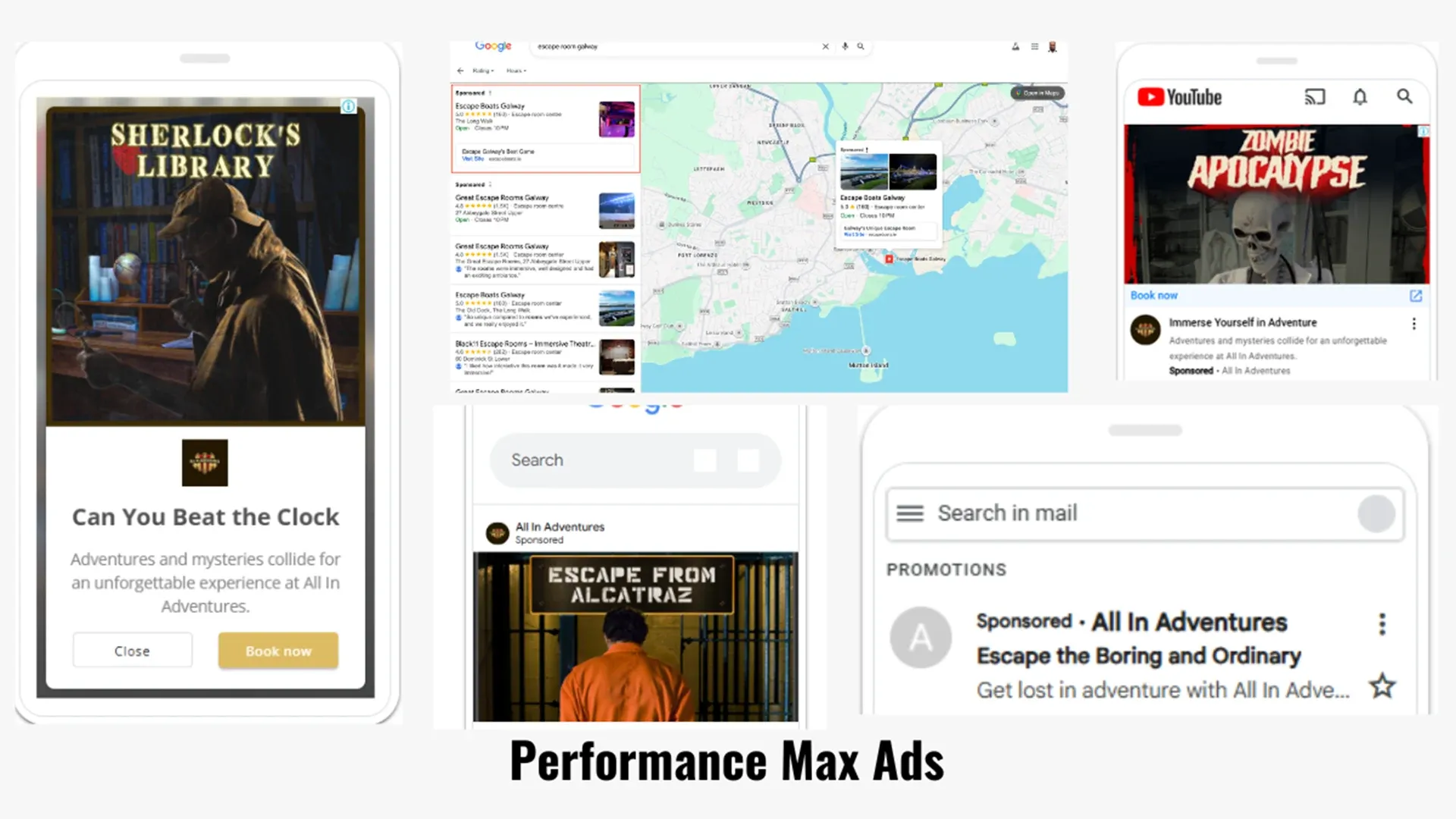
Performance Max for escape rooms uses Google’s AI to find the highest-intent customers and show them the right ad at the right moment, whether they’re browsing, watching videos, or searching for fun experiences nearby.
Workflow
1. Create 3 Asset Groups: Segment your audiences based on motivation and booking intent:
- Families & Friends — Focus on fun, laughter, and bonding.
- Corporate Teams — Highlight teamwork, leadership, and stress-free events.
- Couples & Dates — Emphasize shared adventure and unique experiences.
Each group gets its own tailored messaging, visuals, and offers for stronger engagement.
2. Upload Short UGC Videos and Lifestyle Images: Use real footage or short clips showing groups laughing, solving puzzles, and celebrating victories. Keep your videos under 30 seconds and open with a bold hook like “Will you beat the clock?” Authentic emotions and teamwork moments perform best in Google Ads for escape rooms, as they build trust, capture excitement, and drive higher conversions.
3. Add Audience Signals from GA4: Guide Google’s AI by providing high-quality data:
- Converters – People who have booked before.
- Visitors (30 Days) – Those who visited but didn’t convert.
- Similar Audiences – New users who resemble your past bookers.
This improves targeting accuracy and shortens the learning period.
4. Set Conversion Goals: Track key actions such as:
- purchase (successful bookings)
- book_now_click (clicked booking button)
These signals teach Google which users are most likely to convert—optimizing your spend for revenue instead of random clicks.
Do this now (≤5 min):
Build one new Performance Max campaign for your escape room and upload at least 10 creative assets—a mix of high-quality images, headlines, descriptions, and short videos. The more quality inputs you provide, the faster your escape room Google Ads campaign learns, optimizes, and scales to drive more bookings.
Step 5: Display and Video Remarketing
Reconnect with visitors who showed interest but didn’t book.
Remarketing in Google Ads keeps your brand top of mind—reminding players of the adventure they nearly had and inspiring them to come back and book.
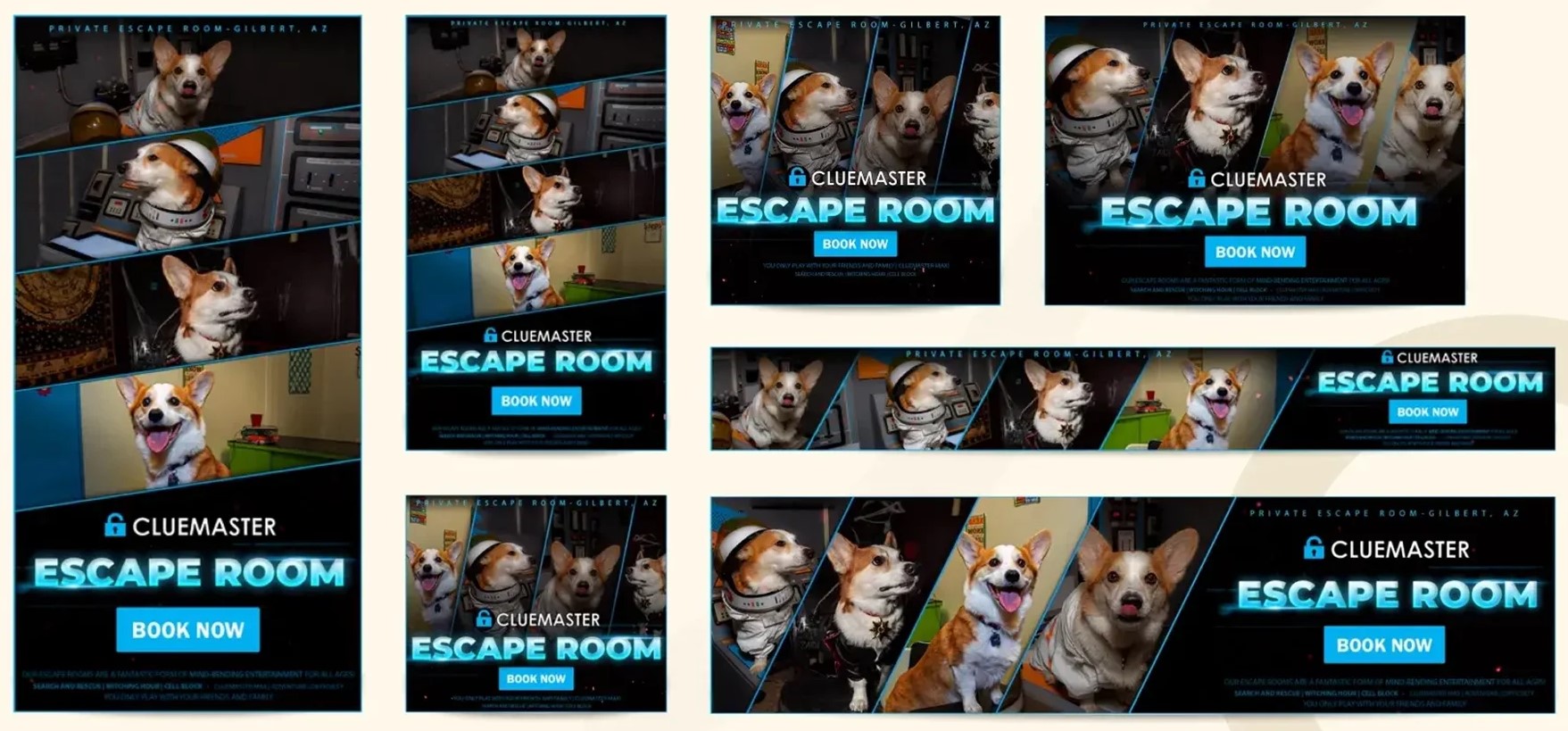
These “second-chance” ads turn curiosity into conversions, making remarketing an essential part of your escape room Google Ads strategy.
Checklist
1. Create eye-catching display banners: Use square (1080×1080) and rectangle (300×250) formats with messages like:
“Your Next Adventure Awaits”
“Ready for Round Two? Book Your Escape Room Today!”
2. Launch short video remarketing ads: Upload 15-second YouTube Shorts or vertical clips showing laughter, teamwork, and countdown tension. Example hook:
“60 Minutes of Fun - Book Your Room Today.”
3. Target warm audiences only: In your remarketing settings, choose:
- Site visitors within the last 30 days
- Players who added to cart but didn’t book
- Viewers who watched your YouTube videos
4. Limit frequency: Set a frequency cap of 3 impressions per day per user to avoid ad fatigue—staying visible without being annoying.
Remarketing is one of the most cost-effective parts of escape room PPC management because it nurtures the 80% of visitors who didn’t book the first time. Done right, it can increase conversion rates by up to 40%.
Want to learn more about remarketing? Check out our blog post on escape room remarketing for more creative, high-performing ideas that help you turn visitors into repeat players!
Do this now (≤5 min):
In GA4, create one audience list named “All Visitors - 30 Days.” This will automatically populate your remarketing audience for future Display and Video campaigns targeting interested players.
A Comparison Table:
| Channel | Best for | Speed to Data | Typical CPA | Notes |
|---|---|---|---|---|
| Search | “Ready to book” | Fast | Lowest | Needs tight negative keywords |
| PMax | New demand + cross-network lift | Medium | Low-Medium | Feed it strong assets |
| Display/Video Remarketing | Recapture | Fast | Very low | Cap freq at 3/day |
Step 6: Tracking and Measurement (GA4 + GTM + CAPI)
Track every click, call, and booking with precision.

Without accurate data, you’re flying blind—you won’t know which campaigns are working, which keywords are wasting money, or what your real ROI looks like. A strong tracking system ensures your Google Ads for escape rooms deliver measurable results and help you scale confidently.
Implement
1. Set Up Key GA4 Events: Track the essential actions players take on your website:
- page_view → Records every page view to gauge engagement.
- book_now_click → Fires when a visitor clicks your booking button.
- purchase → Tracks a completed booking from your engine (Resova, Bookeo, or similar).
These three events are your foundation for accurate measurement and optimization.
2. Use GTM Triggers on the Booking Button: Install Google Tag Manager (GTM) and set a click trigger on your “Book Now” button. Even if visitors don’t complete checkout, this data shows intent and fuels remarketing audiences.
3. Enable Server-Side Tagging via Stape: Use Stape.io or another ssGTM setup to send clean, reliable data directly to Google Analytics from your server. This avoids signal loss from ad blockers or iOS privacy limits—a major advantage for Google Ads tracking for escape rooms on third-party booking platforms like Resova or Bookeo.
4. Mirror Conversions with Meta CAPI: If you’re advertising on Meta too, connect Meta’s Conversions API (CAPI) so your bookings are tracked consistently across both platforms.
5. Validate Your Setup: Use Tag Assistant Legacy and GA4 Realtime Reports to verify that your events fire properly—especially purchase. Each event should trigger once per booking, not multiple times.
Accurate tracking transforms guesswork into growth. It helps algorithms optimize better, improves audience targeting, and gives you the confidence to scale what’s working.
Do this now (≤5 min):
Click your “Book Now” button and open GA4 → Realtime → Events to confirm your book_now_click event fires correctly. If it doesn’t, fix it before spending another dollar on ads.
Did you know?
Up to 28% of escape room bookings go untracked due to improper GA4 or GTM setup. Before scaling ads, verify every “Book Now” click and “Purchase” event fires properly—it’s the foundation of profitable PPC.
Step 7: Budget and Bidding
Spend smarter—not harder. Your goal isn’t just to appear everywhere, but to appear profitably where it counts. Setting the right daily budget and bidding strategy ensures your Google Ads for escape rooms deliver bookings without draining your wallet.
New to Google Ads bidding? Check out Google’s official guide—Choose your bid and budget—to better understand how different budget and bidding strategies work and which one fits your campaign goals.
Recommended Budget Framework
| Location | Starting Budget | Goal CPA (Cost per Booking) | Notes |
|---|---|---|---|
| Single City Escape Room | $20–$30/day | ≤ $20 | Run Search + PMax with a 60/40 budget split. |
| Multi-Location Chain | $50–$75/day per site | ≤ $25 | Add $15/day for Display Remarketing. |
Start small, test aggressively, then scale what works. For most escape rooms, even a $25 daily budget can generate consistent leads when keywords, targeting, and tracking are fine-tuned.
Bidding Strategies That Work
- Maximize Conversions (Recommended for New Campaigns): Let Google’s algorithm find the cheapest bookings based on your conversion data.
- Target CPA (After Consistent Data): Set a target cost per booking (e.g., $20). Works best once your account has at least 30–50 conversions.
- Manual CPC (For Full Control): Useful for testing specific keywords or ad groups when you want tighter control over costs.
Pro Tip: After three weeks of stable results, increase your daily budget by 20% each week—but only if your cost per acquisition (CPA) remains profitable. Sudden jumps (like doubling overnight) reset Google’s learning phase and can disrupt performance.
Do this now (≤5 min):
Take your target CPA (for example, $20) and set your daily budget cap = CPA × 2. This gives Google enough data to learn quickly while keeping your escape room PPC campaigns cost-efficient.
Step 8: Conversion Rate Optimization (CRO)
Turn more clicks into confirmed bookings.
You’ve already paid for the traffic—now every improvement in user experience means higher profits. Great conversion rate optimization (CRO) makes your Google Ads for escape rooms work harder without spending a dollar more on clicks.
Focus Areas
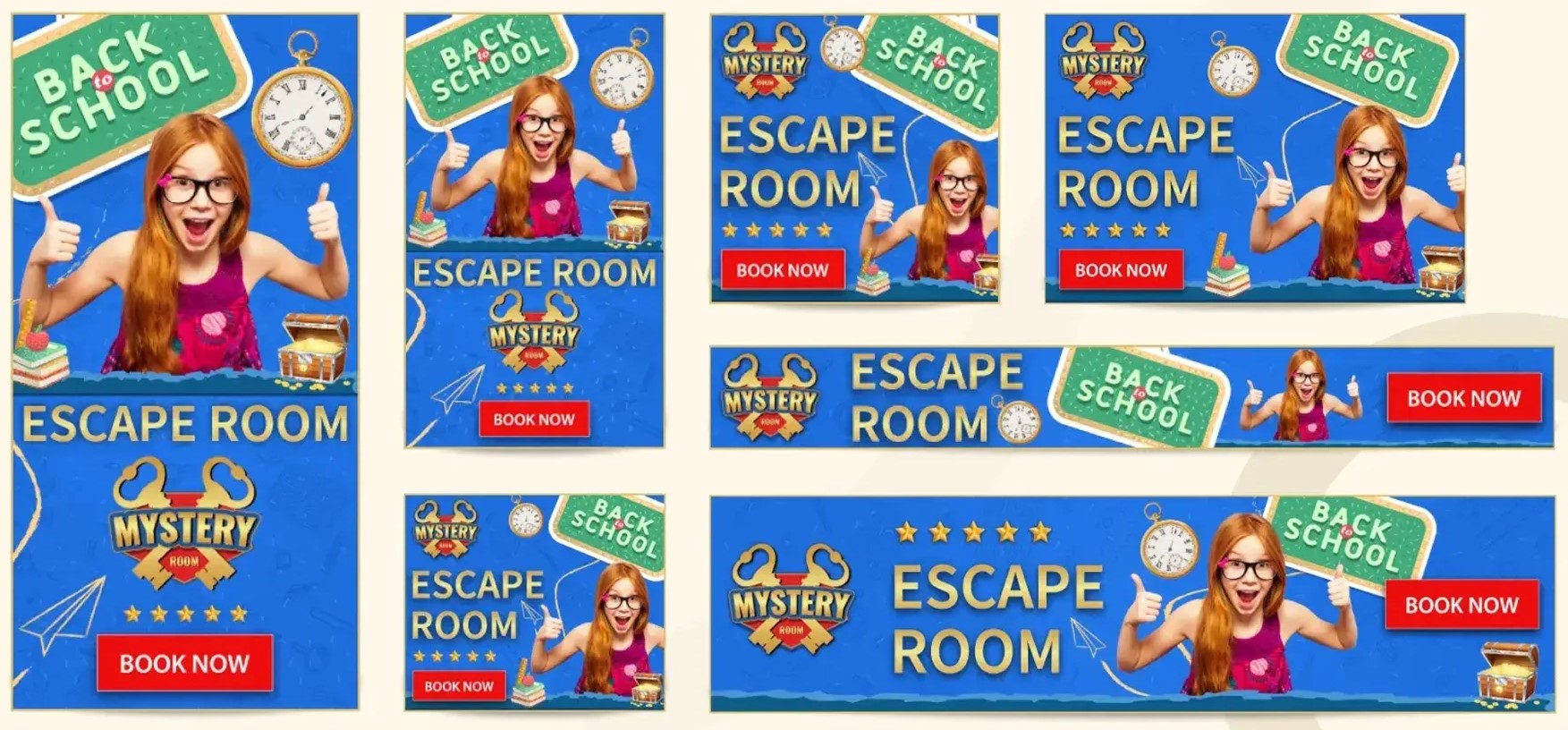
1. Clear Call-to-Action (CTA) Buttons: Use strong, visible CTA buttons like “Book Now” or “Start Your 60-Minute Adventure.” Keep one consistent button color and make sure it appears on every scroll level.
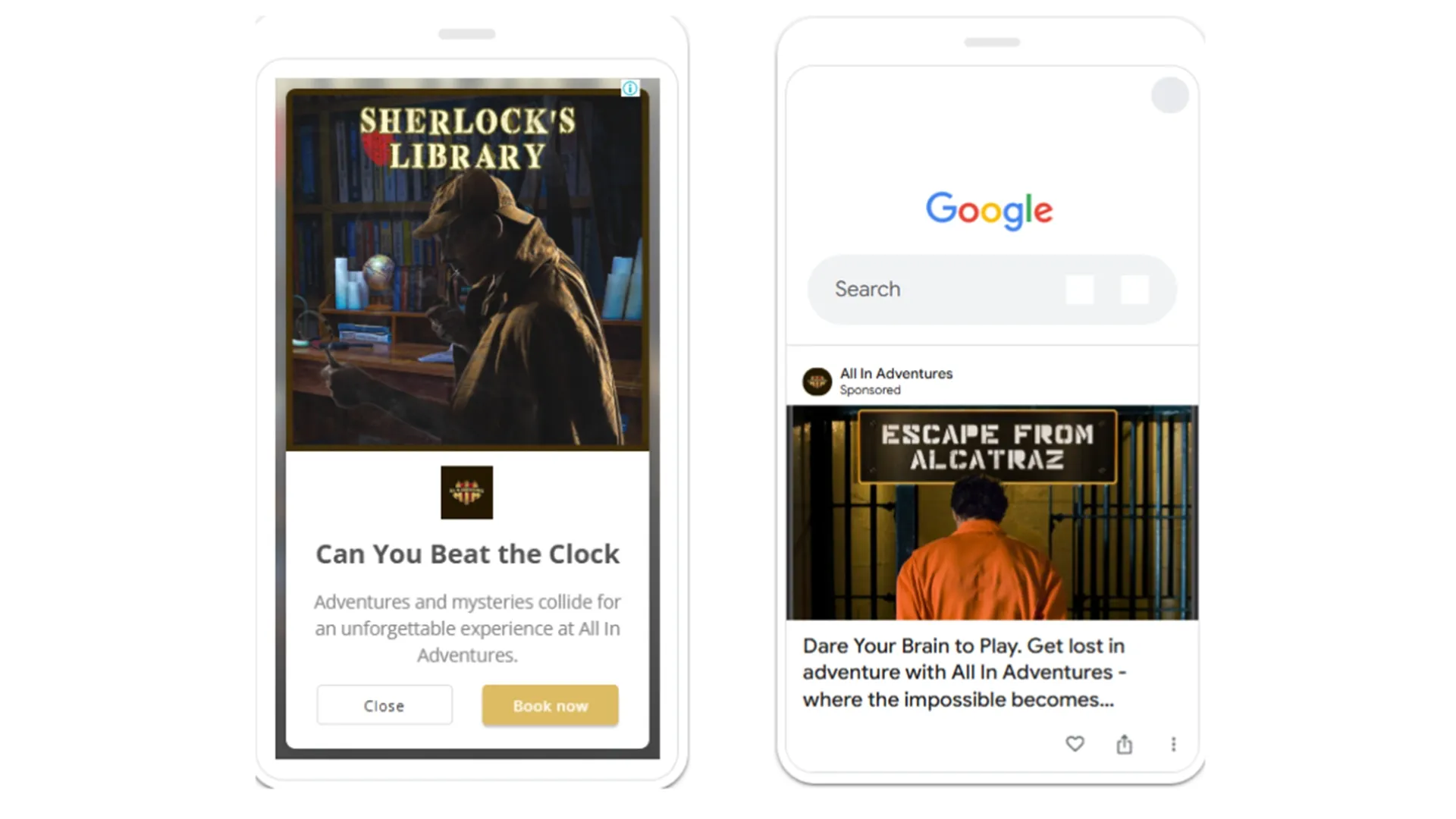
2. Mobile-First Design + Fast Loading Speed: Over 70% of players search on mobile. Make sure your pages load in under 2.5 seconds (LCP) and that all booking buttons are tap-friendly. A laggy page equals lost players.
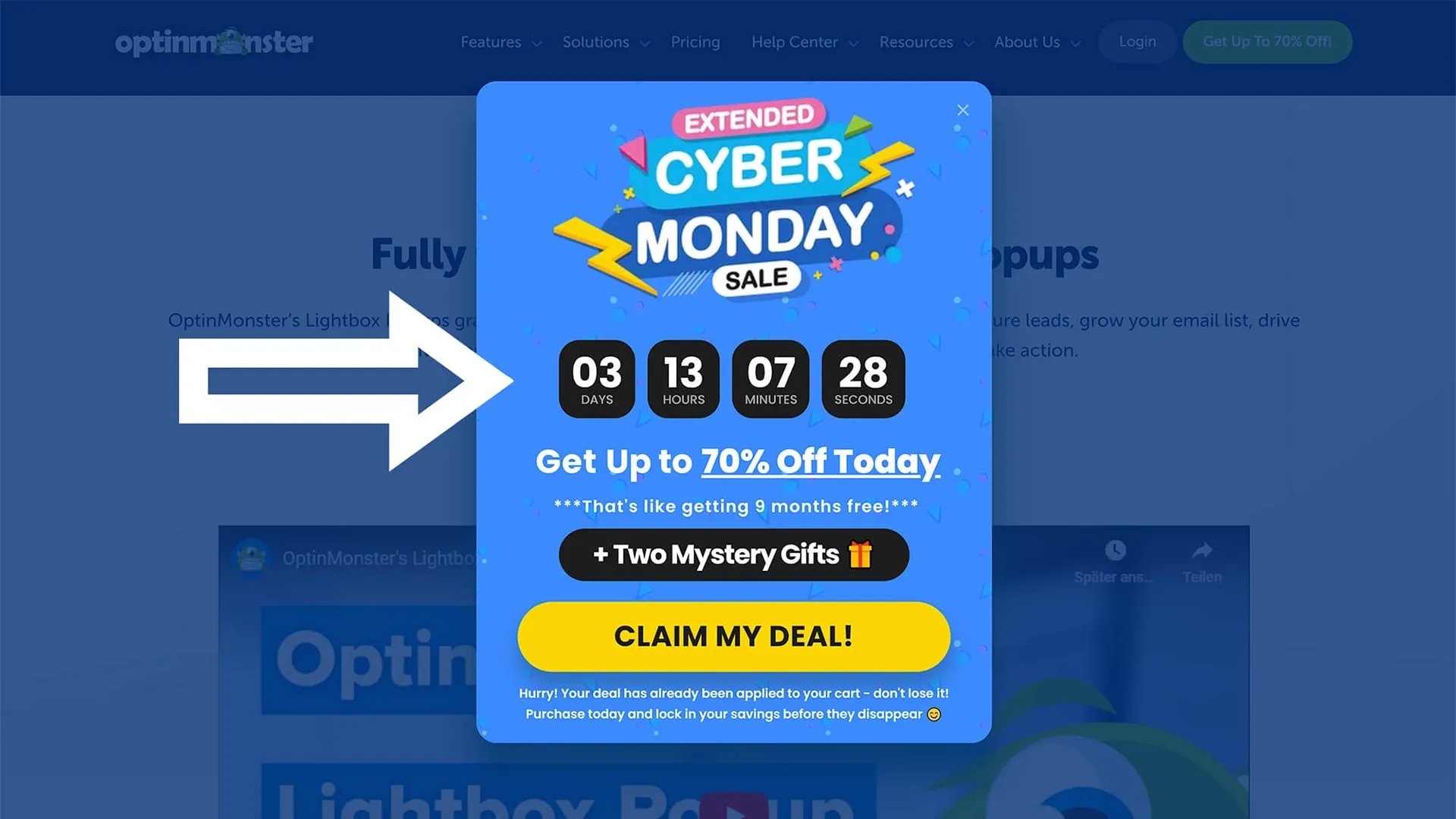
3. Reviews Near CTAs: Place star ratings, short testimonials, or review badges directly beside your “Book Now” button. Trust nudges action—people follow social proof before committing.
4. Exit-Intent Popups: When users hover toward the close button, trigger a popup offering: “Wait! Get 10% off your first escape!” This simple UX tweak can recover 10–15% of abandoned visitors.
Pro Tip: Use Hotjar or Microsoft Clarity to watch where users drop off. See what they click, how far they scroll, and where they stop engaging. Small changes based on this data—such as shifting CTAs or simplifying forms — can dramatically improve your conversion rate.
Do this now (≤5 min):
Visit your landing page on your phone. Try booking a room yourself—can you do it in under two clicks? If not, simplify your design and fix friction points immediately to boost your escape room Google Ads efficiency.
Step 9: Social Proof and Trust
Boost your click-through rate (CTR) and conversion rate by showing potential players that others already love your escape room experience. People trust people—and when your ads and landing pages highlight genuine excitement from past players, your Google Ads for escape rooms instantly become more persuasive and credible.

Simple SOP
1. Pull Your Latest Google Reviews Feed: Export your most recent 10–20 reviews directly from your Google Business Profile. Highlight ones that mention specific experiences like “amazing puzzles,” “friendly staff,” or “perfect for team building.”
2. Feature 3 Player Quotes + Star Badge in Ads: Add snippets of short, emotional player feedback inside your ad extensions, like:
“Best family night ever!” ★★★★★
“Incredible experience - we escaped with 2 seconds left!”
Including real quotes improves authenticity and boosts ad engagement for your escape room PPC campaigns.
3. Show Visual Trust Signals on Landing Pages:
- Add a 4.9★ average rating near the booking button.
- Include badges like “Private Room Safety Certified” or “1M+ Players Served.”
- Display logos from TripAdvisor, Yelp, or local award features.
These micro-visual cues build subconscious trust—convincing hesitant players to book faster.
Do this now (≤5 min):
Copy one recent 5-star review into your ad extension or landing page today. It’s a small step that can instantly raise your credibility and conversion rate.
Step 10: Measurement and Iteration (90-Day Loop)
Build a simple, repeatable rhythm that compounds results. This is where small weekly tweaks turn into big quarterly wins for Google Ads—and where true escape room booking ads optimization happens.
Need a deeper walkthrough? Read Google’s official guide, How to analyze Google Ads successfully, to learn proven ways to evaluate campaign performance and make smarter optimization decisions.

Track Weekly (15 minutes)
Monitor the “vitals” so you can act early instead of reacting late:
- Impressions – Are you showing up enough for priority keywords?
- CTR – Is ad messaging resonating (target ≥7%)?
- CPC – Are costs stable (target ≤$2 where possible)?
- Conversion Rate (CVR) – Are landing pages turning clicks into bookings (target ≥8%)?
- ROAS – Are campaigns paying for themselves (target ≥5×)?
If CTR dips, refresh headlines and extensions.
If CVR dips, fix page speed, CTA visibility, and form friction.
If ROAS dips, shift budget toward the best rooms/ad groups and add negatives.
90-Day Cycle (Plan → Act → Learn → Scale)
1. Review GA4 paths and winners
- Identify your top rooms, queries, and ad groups driving most bookings.
- Note which audiences (families, corporates, couples) convert best by device and location radius.
2. Reallocate budget to the top 20%
- Push +20–30% budget to high-ROAS segments.
- Reduce or pause anything below your CPA threshold for 14+ days.
3. Launch controlled tests
- Ads: New hook, offer, or proof point (e.g., “Private Rooms • 4.9★ • Book in 2 clicks”).
- Landing pages: Above-the-fold CTA, review placement, faster LCP (<2.0 s).
- Targeting: Tighten radius for mobile, add dayparting (Fri–Sun boost), refine negatives.
4. Systemize learnings
- Save winners as templates (ad copy, assets, page blocks).
- Document “kill rules” (e.g., pause if CTR <1% after 1k impressions).
5. Seasonality prep
- Pre-build assets for Halloween, holidays, school breaks.
- Spin up PMax seasonal asset groups 2–3 weeks early.
Do this now (≤5 min):
Add a recurring 15-minute Friday calendar reminder titled “PPC Health Check.” Open last 7 days in GA4 + Ads, scan the five vitals, and make one improvement before you close the tab.
Benchmarks and Targets
Use these benchmarks as your scoreboard for success. They represent what healthy, high-performing escape room PPC campaigns typically achieve after optimization. Tracking them keeps you focused on what matters most—results that turn clicks into bookings.
| Metric | Healthy Range | 90-Day Goal |
|---|---|---|
| CTR (Click-Through Rate) | 5–8% | ≥ 7% |
| CPC (Cost per Click) | $1.20–$2.50 | ≤ $2 |
| Conversion Rate (CVR) | 5–10% | ≥ 8% |
| ROAS (Return on Ad Spend) | 3–6× | ≥ 5× |
| Cost per Booking (CPA) | $15–$25 | ≤ $20 |
| Bounce Rate | < 45% | ≤ 35% |
| Page Load (LCP) | < 2.5 seconds | 1.8 seconds |
| Review Count per Location | 250+ | 350+ |
These targets keep your Google Ads for escape rooms accountable—showing when to scale, optimize, or troubleshoot.
Common Mistakes to Avoid
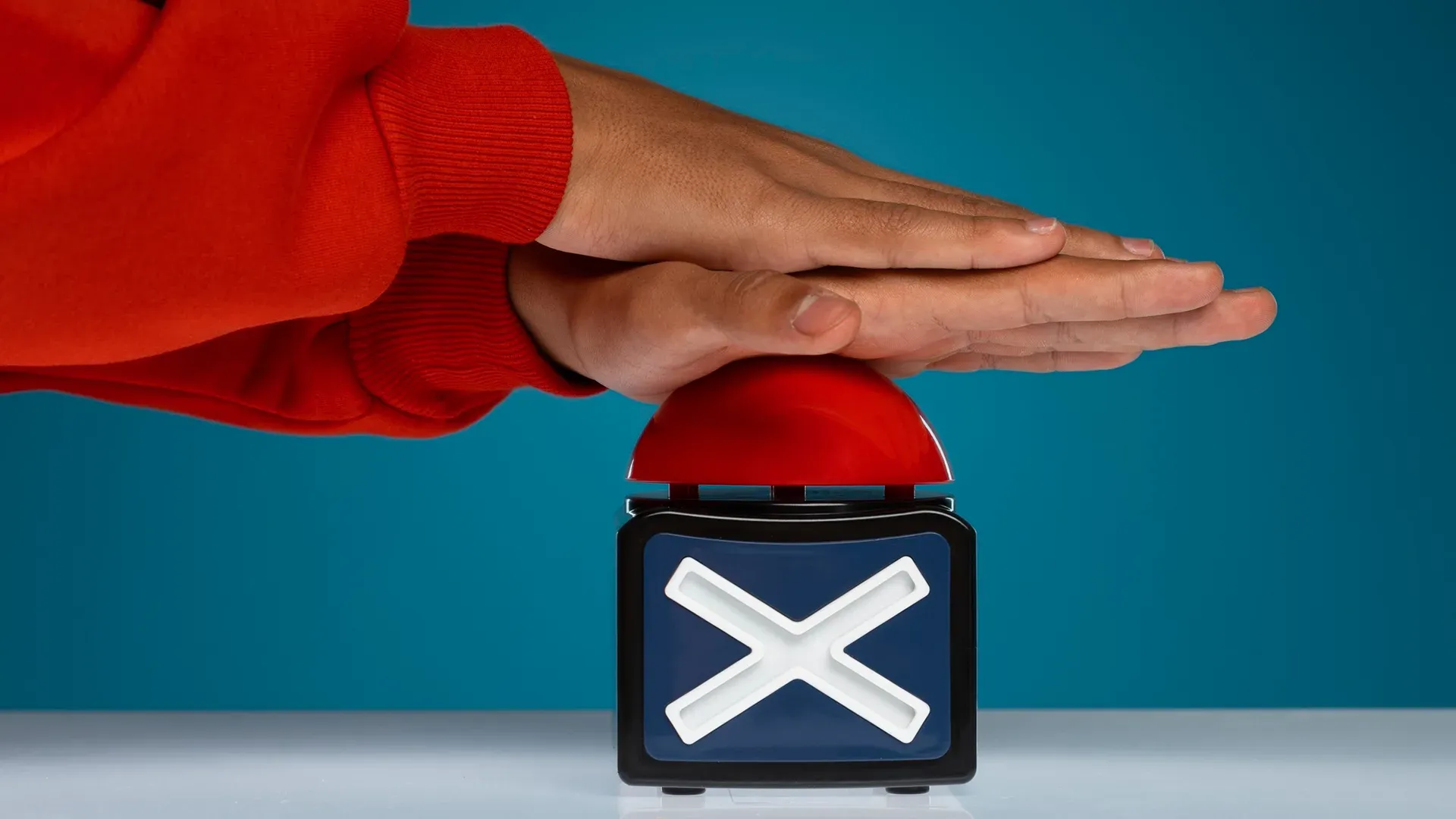
Even the best Google Ads for escape rooms can underperform if small errors slip through. Avoid these common pitfalls to keep your ads efficient, data-driven, and profitable.
- Sending traffic to your homepage: Always direct visitors to targeted landing pages (like Birthday, Team Building, or specific room pages). Homepages dilute intent and lower conversions.
- Using broad match without negative keywords: This bleeds your budget on irrelevant clicks (e.g., “free online escape games”). Always refine targeting with a strong negative keyword list.
- Ignoring mobile speed: Every extra second of load time can drop your booking rate by up to 20%. Keep your LCP under 2.5 seconds for top performance.
- Skipping proper tracking setup: Without GA4 or GTM, you’re guessing, not optimizing. Remember: you can’t fix what you can’t measure.
- Letting Search and PMax overlap: When both campaigns target the same audience, they compete against each other. Segment audiences clearly to prevent wasted impressions.
These fixes are simple but powerful—mastering them ensures your escape room Google Ad campaigns run lean, learn fast, and convert better.
Join 500+ Escape Room Owners Learning Smarter Marketing Every Month
Get exclusive PPC, SEO, and creative insights—written specifically for escape room operators who want to grow faster!
Escape Room Google Ads FAQs

Even with solid Google Ads for escape rooms, owners often have questions about budgets, tracking, and results. These quick FAQs clear up the most common doubts so you can run smarter, more confident escape room PPC campaigns.
Q. What’s the best budget for escape room Google Ads?
A. Start with $20–$30/day per location. Once your cost per booking consistently drops below $20, gradually scale your daily spend. Smart budgeting is the backbone of sustainable escape room PPC growth.
Q. Should I run Performance Max campaigns?
A. Yes. PMax for escape rooms combines Search, Display, Video, and Maps placements under one AI-driven system. It’s ideal for multi-location brands and great for scaling reach efficiently.
Q. How do I track bookings from Resova or Bookeo?
A. Set up GA4 + GTM events like purchase and book_now_click, and use server-side tagging via Stape for accurate data. This ensures your bookings are tracked even if users complete the transaction on an external booking engine.
Q. How can I optimize ads for corporate team building?
A. Create a dedicated Search campaign focused on “team building escape room [city]”. Write ad copy that speaks directly to HR managers and company leaders—emphasize collaboration, communication, and private bookings.
Q. Should I use Display or Video Ads?
A. Use Display Ads for remarketing and YouTube Shorts for awareness campaigns. Avoid running cold Display traffic early on—it’s better for retargeting warm visitors familiar with your brand.
Q. What keywords should I avoid?
A. Add these to your negative keyword list: “free”, “virtual escape room”, “online game”, “app”, “walkthrough”, “jobs”. This prevents wasted clicks and protects your escape room PPC management budget.
Q. How soon will I see results?
A. Most well-structured campaigns stabilize and show positive ROAS within 30–45 days, once tracking, testing, and optimization cycles begin.
Q. Can I run ads for gift cards or holiday promos?
A. Absolutely. Create seasonal asset groups inside PMax for holidays, and add Gift Card sitelinks to your search campaigns for easy promotion during peak seasons.
Q. What metrics matter most?
A. Focus on CPC, Conversion Rate, ROAS, and Cost per Booking—these reveal both ad efficiency and profitability.
Q. Should I hire a Google Ads agency for escape rooms?
A. If you’re managing multiple locations or struggling with tracking, partnering with a specialized agency can save months of trial and error and maximize your ROI.
Final Thoughts
Google Ads for escape rooms is one of the most effective marketing strategies for driving consistent, measurable growth. It’s not a guessing game—it’s a proven, repeatable path to predictable bookings.
When your keywords, creative assets, landing pages, and tracking all work together, every click moves closer to a confirmed booking.
The result? More players, fuller rooms, and steady growth month after month!

Ready to level up your advertising and turn your escape rooms into the talk of the town? Try our Google Ads service to attract more players and keep your rooms fully booked.
Let’s make your escape room brand the one everyone’s searching for!
Get a 100% FREE Google Ads audit from the experts who know your industry best!
Our experts will identify leaks, fix tracking, and map out a profitable ad structure to drive more bookings, boost ROI, and dominate your local market!